Privacy-visible
If the camera is on, the LED is on. The light is the truth.
See · Talk · Act
FieldSee starts on the phone you already carry. Point it at an appliance and it reads the brand and model, finds the manual, and keeps the record. Talk to it and it acts. Next, Meta VR Glasses put that record on the equipment in front of you, and our own camera headset carries the same awareness anywhere, hands-free.
If the camera is on, the LED is on. The light is the truth.
FieldSee hedges when uncertain and never pretends a guess is a fact.
Speak only when it changes what the user does. Silence is design.
If the user has to pull out a phone during the job, the workflow failed.
Four places it matters
FieldSee's core capability is hands-free visual awareness — reading what's in front of you, narrating what's behind you, on demand, in a calm voice. That capability shows up differently depending on where you are.
01 · At home
For the things you own: photograph the dishwasher, the water heater, the furnace. FieldSee reads the brand and model, guides you to the label, finds the manual and support page, and keeps the make, serial, and maintenance history where you can search it. This is the app in testing today.
02 · Worksite
For field service, inspections, and maintenance: capture panels, labels, meters, and torque marks without breaking posture. Save the last thirty seconds with a word or a tap. Every clip becomes a searchable note tied to the work order.
03 · Assistive awareness
For blind and low-vision users: read labels aloud, describe a room, tell you what's behind you. Voice-first onboarding, large-text mode, and confidence-hedged language built in from day one — never as a rebrand.
04 · Out and about
For walking unfamiliar streets, riding transit, or moving through low-light spaces: FieldSee can narrate who's approaching from behind, read a sign you missed, and stay quiet otherwise. It is awareness, not surveillance, and never a safety device.
The FieldSee app · on your phone today
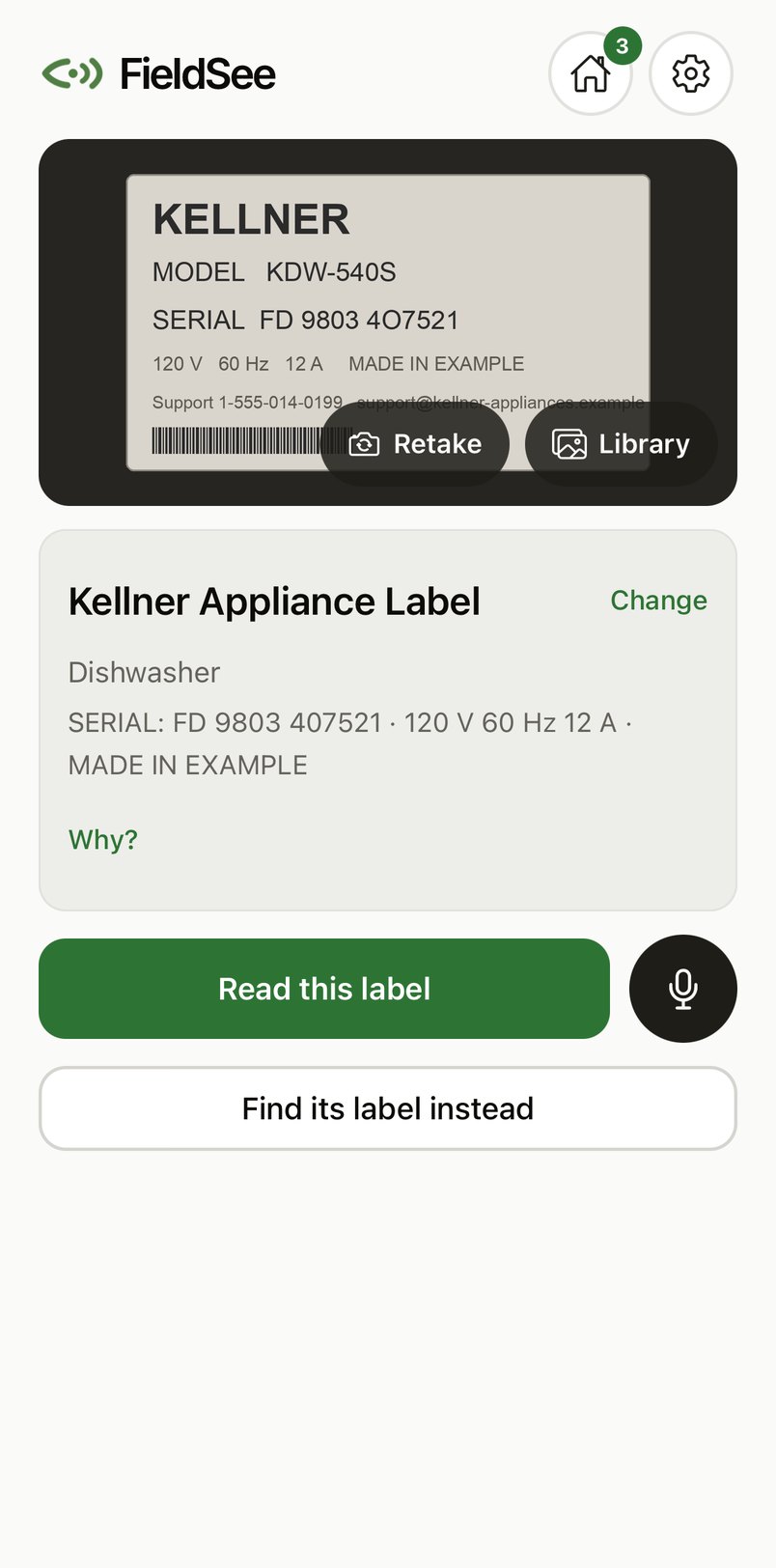
The app opens on the camera. One photo of the whole appliance and FieldSee says what it is and offers the next step. Point the label camera where the label usually is and it takes the photo once it can read it; one tap confirms the readings. Nothing is invented: every reading shows its source, and unknown stays unknown until you check it.
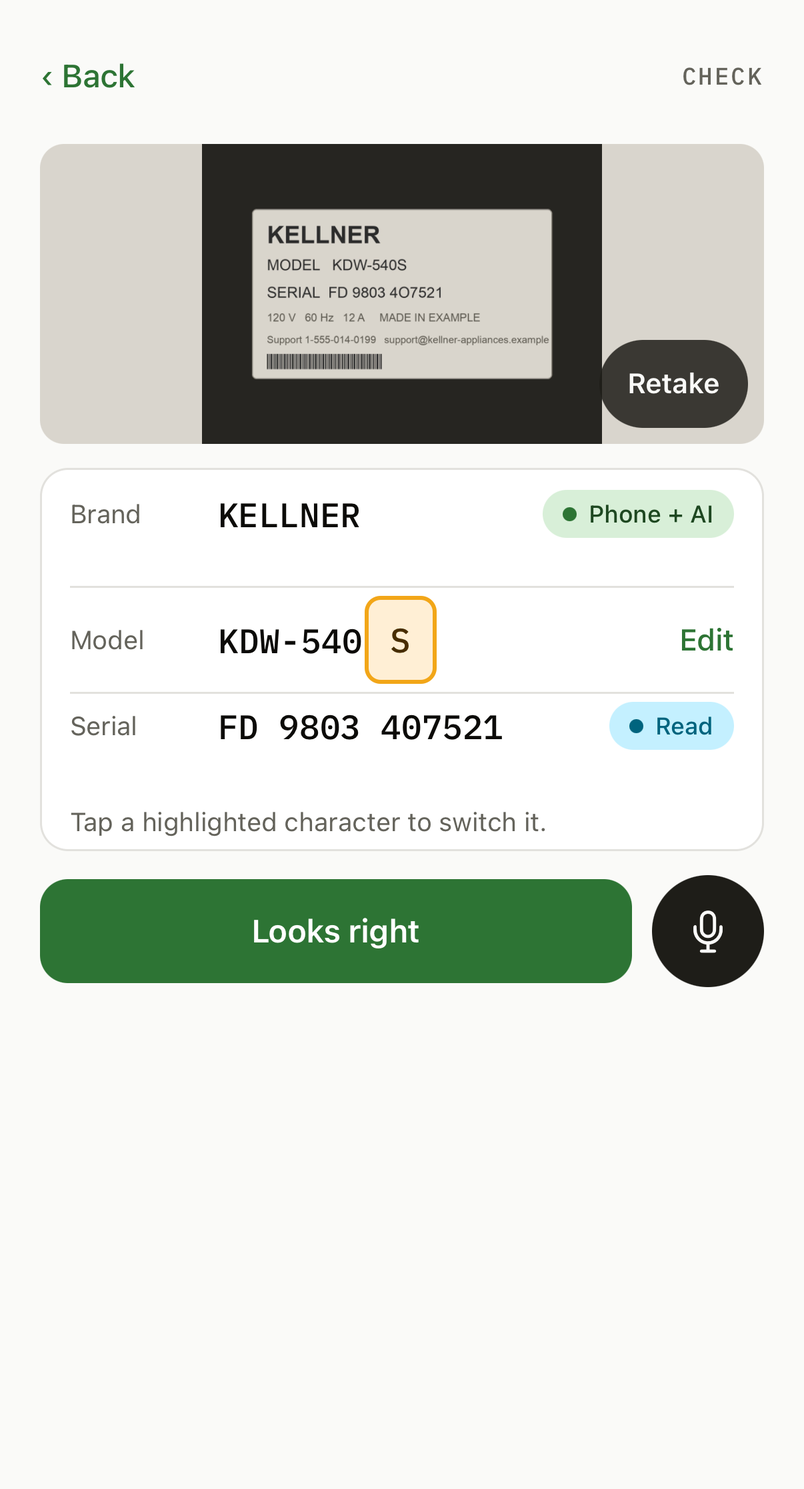
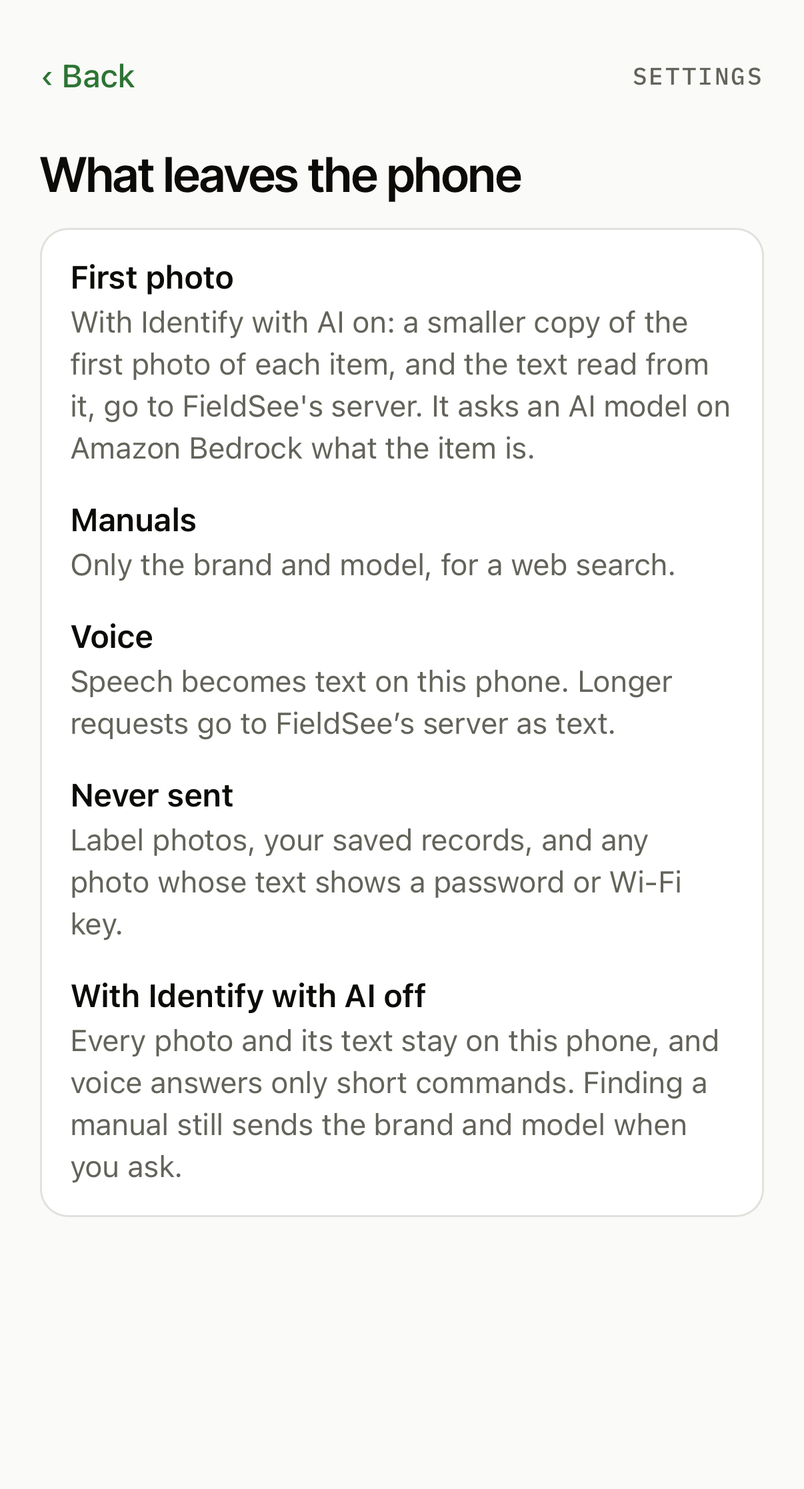
Brand, type, and a model name if one is printed, from the phone's own text recognition and a vision model in the cloud. A plate photographed directly is read on the spot: model and serial as printed, look-alike characters flagged for you to decide.
Tap the mic. "It's in the garage", "read this label", "remind me to change the filter every three months", "find the manual". Turn voice replies on and it tells you what it sees and what comes next; mute it any time.
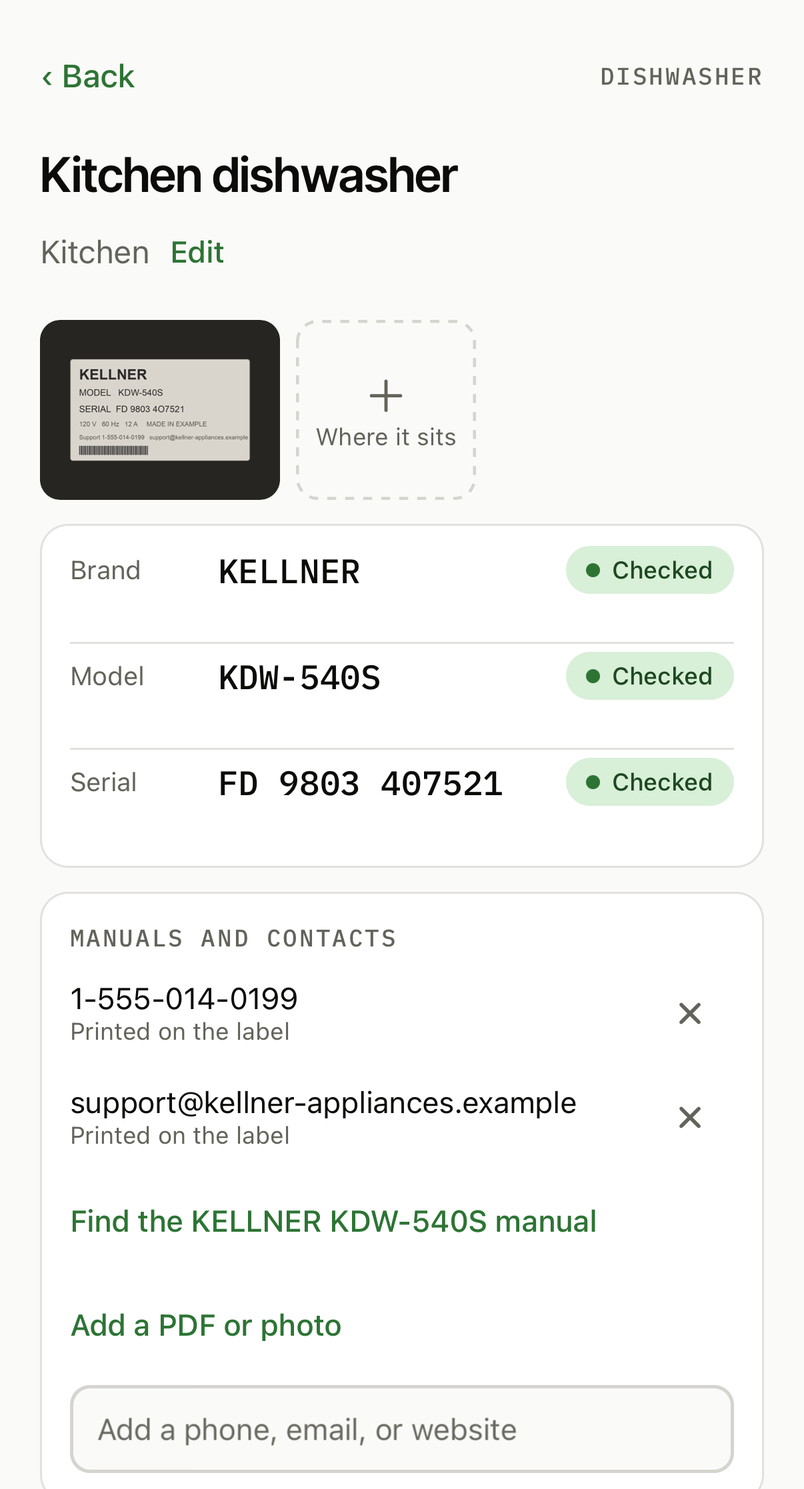
Once the brand and model are known, the owner's manual and the support page are looked up, checked, and saved with their sources. A pill bottle becomes a medication record, with the phone number printed on its label; anything else is saved with its photo. Reminders and notes stay with the record.
An unclear character, a label it could not find, a reading it could not check: each is marked as such, in amber, and nothing is filled in to look complete.
Meta VR Glasses · announced for spring 2027
The same records, seen through Meta's glasses: the breaker you labeled shows its name on the panel, the furnace shows the day its filter was changed, the water heater shows the serial you saved. Look at a tag and pinch to open it. A small printed marker keeps each tag in place between visits.
Passthrough with world-locked tags: they sit on the panel, the furnace, the heater, not on a floating screen. The phone still does the thinking; the glasses show it where it belongs.
Tap Show on glasses on a record and the phone prints its 80 mm sticker. The glasses track it, and the tags return to the same places on the next visit, with no room scan to redo.
Targets sized for gaze, no hover states, no press-and-hold. The app is built on Meta's Spatial SDK; a first spike builds today for a Quest 3 headset, ahead of the glasses.
Our own headset · the longer road
Beyond the phone and the glasses, a lightweight dual-camera headset keeps hardware focused on reliable sensing, controls, and visible privacy states. The phone handles AI, transcripts, summaries, storage, search, and sync, as it already does for the app.
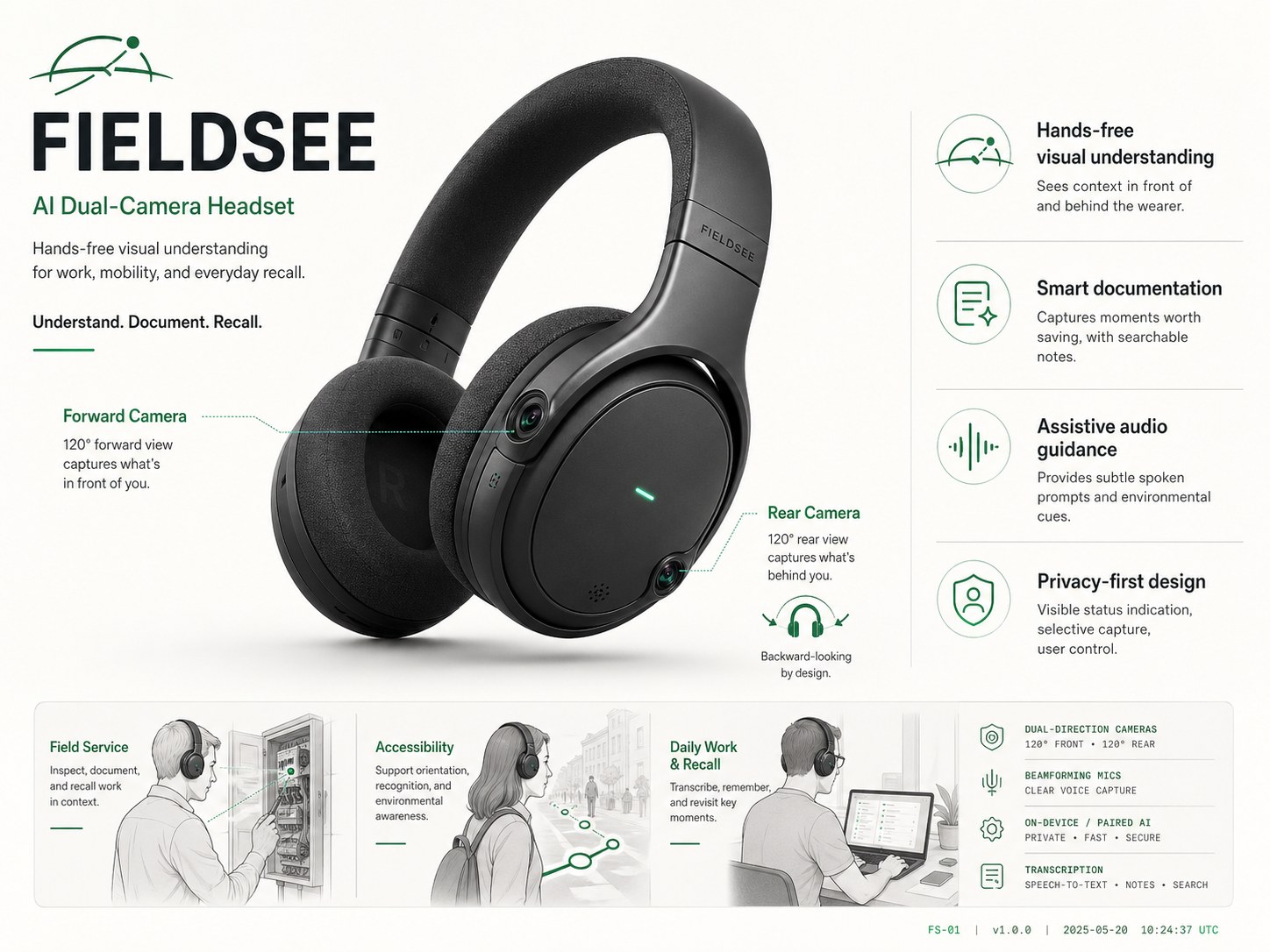
Capture panels, labels, meters, signs, equipment state, and before-after conditions without breaking posture.
Use phone-based vision AI, speech-to-text, and summaries to create searchable evidence and field notes.
Front and rear LEDs, a privacy switch, and an activity log make capture state understandable to the wearer and bystanders.
Blocked cameras, low confidence, and poor visibility surface as a calm amber state — never as decoration, never as a fake alarm.
Assistive awareness
The same hands-free visual understanding can serve blind and low-vision users. That track needs paid participant testing, voice-first onboarding, large text, high contrast, and careful non-safety claims from day one.
A small office. Desk on your right with a laptop. Window ahead. Chair pushed in.
3.4s response · forward camera · medium detailIbuprofen 200 mg. Take one tablet every six hours with food.
Detail mode · OCR · high confidenceSidewalk is clear right behind you. Two people about ten meters back, walking the same direction.
Rear camera · confidence-aware languageResponsible product language
FieldSee helps people notice and document the world around them. It is not a substitute for human attention, professional judgment, a cane, guide dog, sighted guide, orientation and mobility training, or any safety system.
Early access
The phone app is in testing now. We are validating the household record, the glasses overlay, field documentation workflows, privacy controls, and the assistive awareness track before custom hardware.